Closed beta · Windows · 2026
You decide. Awestro handles the rest.
A voice assistant that coordinates your AI agents, your calendar and your notes, and only acts after your yes.
For anyone running a business or a channel with several AI agents.
The problem
You became the router for your own tools.
AI agents, each in its own window. Decisions buried in chats, emails and notifications. Either the assistant only talks, or it acts on its own and you never know what was done in your name.
“I don’t want another chat. I want to know what’s moving, what needs me, and approve with one word.”
The rule
One approval. One action.
- 01You speak
- 02It understands
- 03It proposes
- 04You approve
- 05It runs
Nothing leaves on its own.
Presence
The island, always in sight, adjustable and ready for whatever you ask.
It sits in the corner you choose and snaps wherever you drop it. When you call, Awestro listens, proposes and waits for your yes.
Resting: just the orb, no text
In the demo of the next version of the island, a line on the screen edge becomes a pill when the pointer gets close, and comes alive on click: it listens, thinks and speaks. A pending approval shows up as a card, folds itself into an orange line and stays pending; the View button opens the main window, where you approve. The island snaps to five positions on the screen.
Demo of the next version of the island, with fictional data. The app installed today does not have this island yet. On a real screen it is much smaller: here it is out of scale. The interface inside the demo is the app’s own, in Portuguese (Brazil).
A glimpse
The rest you see in a conversation.
This is the real beta showing a fictional company, Studio Aurora. All data is demo data. The app’s interface is in Portuguese (Brazil) for now.
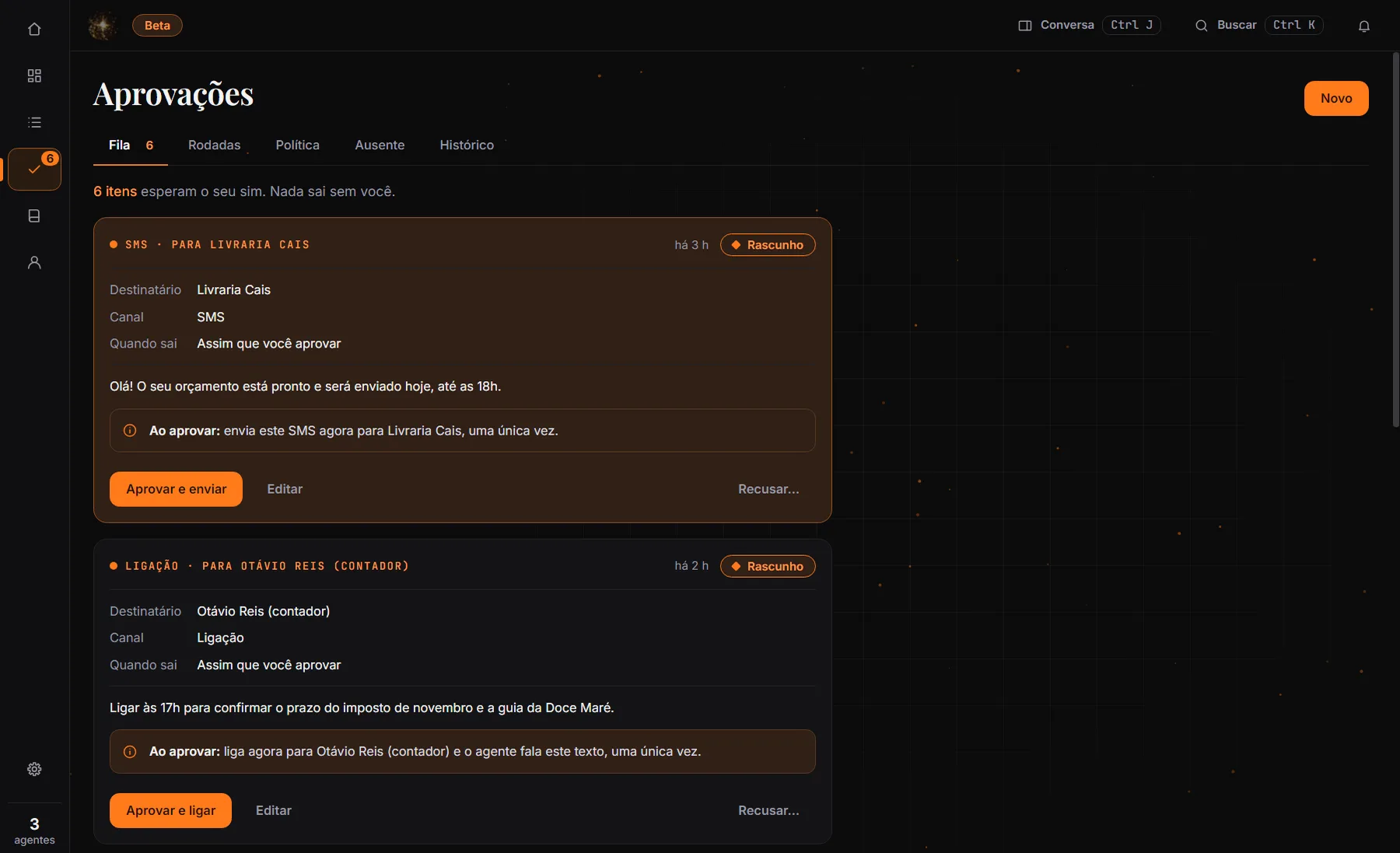
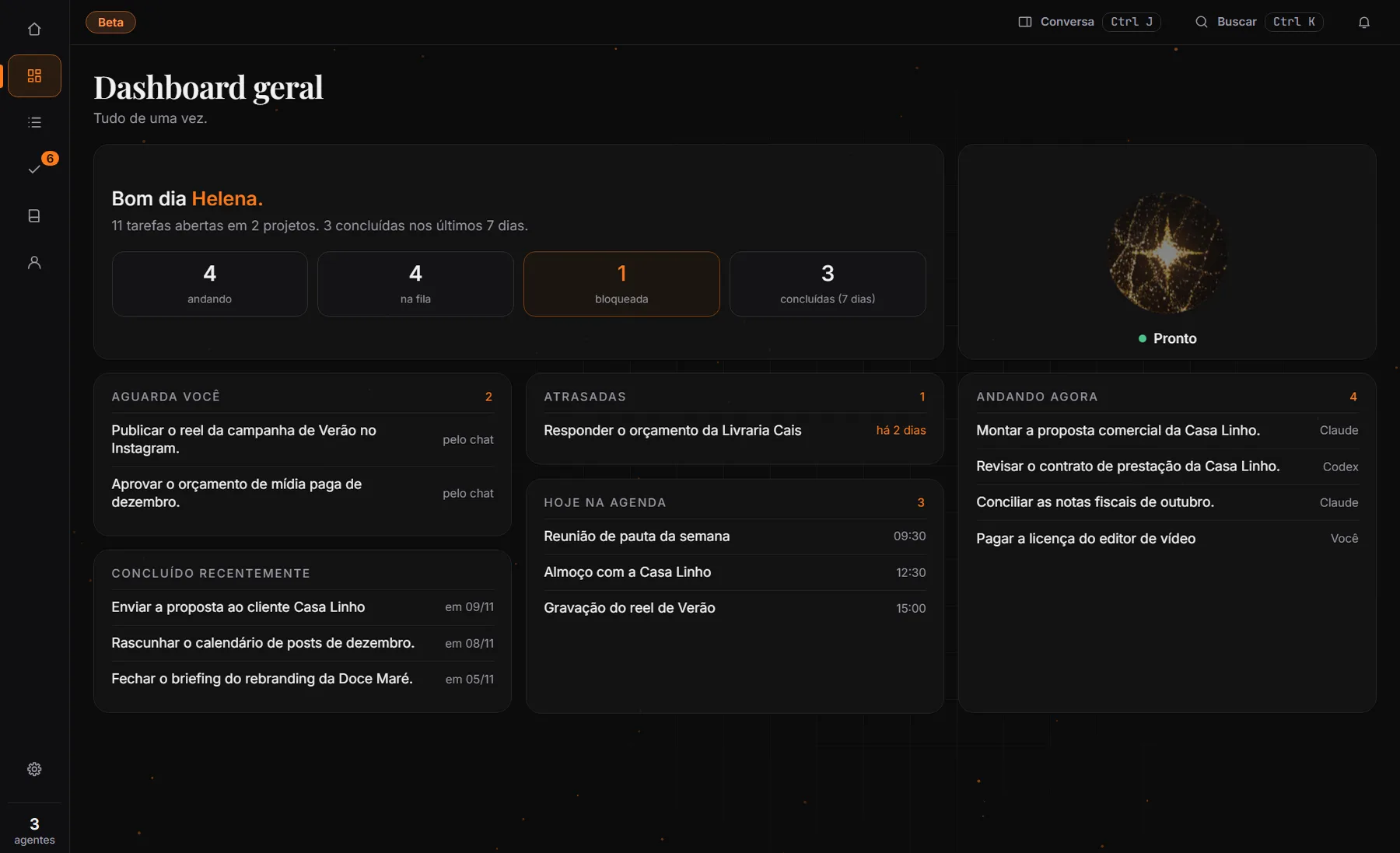
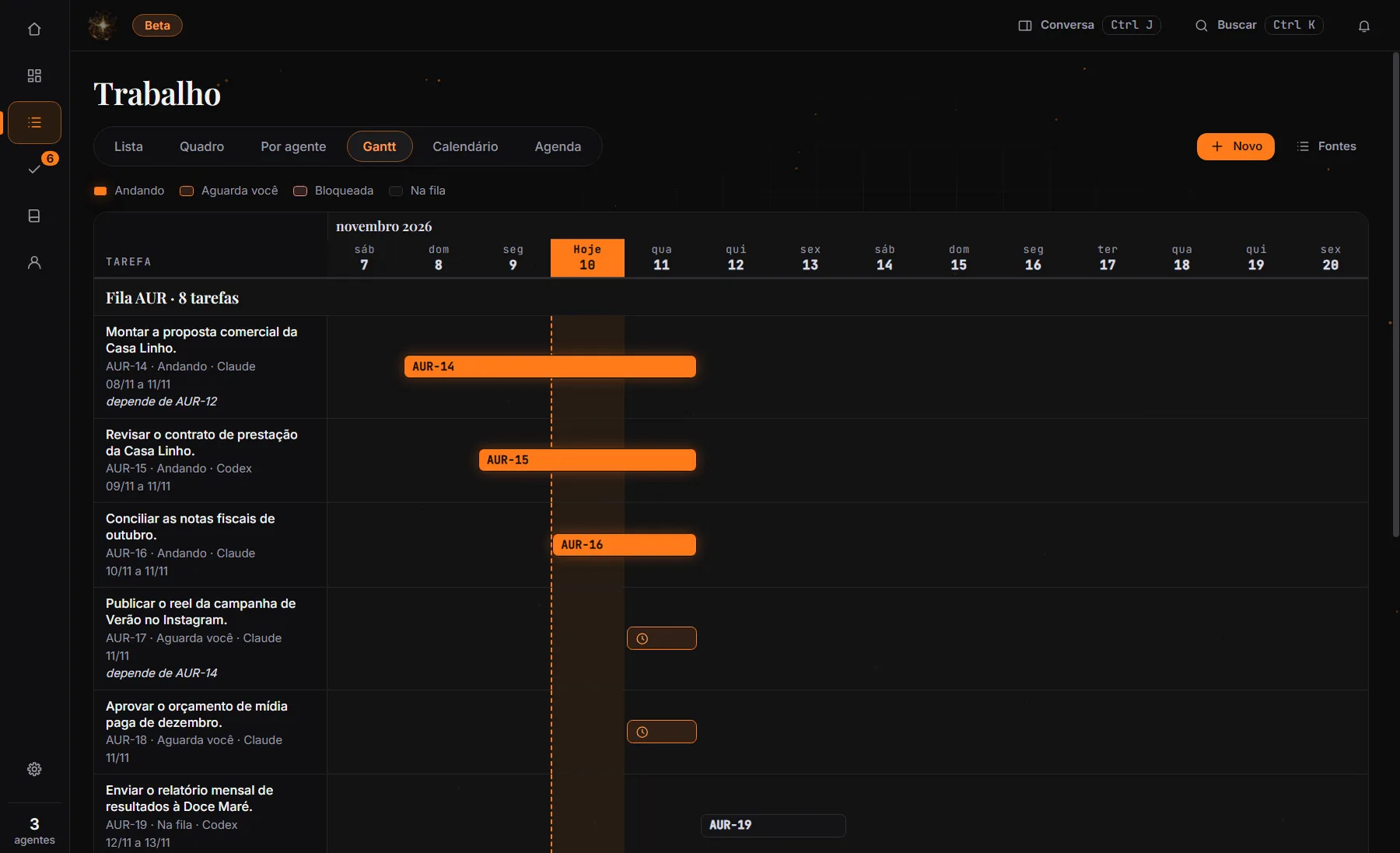
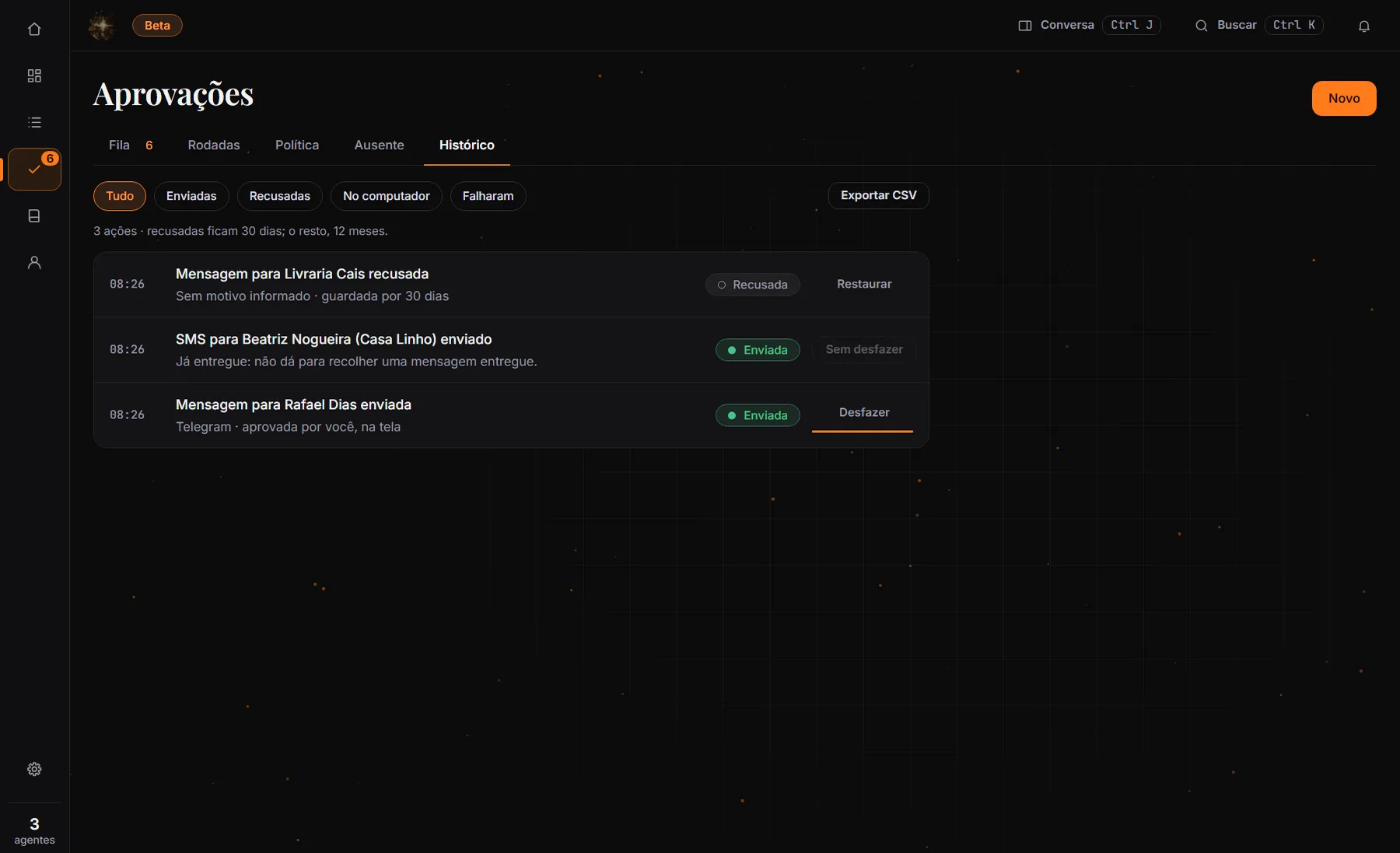
On a small screen, swipe the screenshot sideways.
Trust
Built for you to trust.
- You approve.Every approval runs once and is logged. Computer control only with a spoken plan, a “yes” and a single action, with an immediate stop shortcut.
- You see what leaves.One screen, “What leaves the computer”, has a switch for each destination. A new destination arrives switched off. Nothing leaves without a listed destination and, for actions, without your yes.
| What | Where it lives | Status |
|---|---|---|
| Voice recognition (Whisper) | Stays on your PC. Your audio doesn’t leave. | Ready |
| Keys and tokens | Stay on your PC, always encrypted with Windows. | Ready |
| Action log | Stays on your PC. Sends, failures and declines, exportable as CSV. | Ready |
| Search across sessions | Stays on your PC. Only conversations on this computer; off by default. | Beta |
| Requests to the assistant | Leaves for the AI provider you chose, with the context you allowed. | Ready |
| Spoken voice (ElevenLabs) | Leaves only the text it is about to say, never your audio. Audio only goes out if you pick cloud transcription. | Ready |
| Telegram messages | Leaves only with your yes. You can undo within 60 seconds. | Beta |
| SMS, calls, Instagram and Facebook | Off by default. No account and no real test yet. | Beta |
Status as of Nov 11, 2026. “Ready” means verified by automated tests (1,876 tests with no failures and a smoke test that boots the app, run on Nov 10, 2026 on the development computer); real testing with voice and paid channels is still missing. Windows only, and the installer is not yet signed.
Where we are
A working beta, on the way to distribution.
Now
- Voice with local wake-up
- Approvals with a full card; each runs only once
- Action history, with Undo on Telegram
- “What leaves the computer” screen
- Work, Calendar and a notes Vault
Next
- Signed installer and automatic updates
- Undo on more channels
- Computer-action approval that survives a restart
- Real testing of voice, microphone and paid channels
Planned
- Approve away from the PC, from your phone
- Smart home
- Partner program
The beta is Windows-only and the installer is not yet signed: Windows (SmartScreen) may show a warning when you install it. No dates are promised for what is under “Next” and “Planned”.
We close the trust loop first. Only then do we add screens.
Partnerships
Three ways to get in.
Investors and accelerators
- We offer
- A live demo, the pitch (PDF) and a technical walkthrough under NDA.
- We ask
- 30 minutes.
Agent platforms
- We offer
- The approval queue as a control layer.
- We ask
- One agent integrated in a pilot.
Creators and agencies
- We offer
- A guided 30-day pilot.
- We ask
- A real team and weekly feedback.
The first partners help shape the product.